Utilizziamo i cookie per rendere migliore la tua esperienza di navigazione. Per rispettare la nuova direttiva sulla privacy, è necessario chiedere il tuo consenso per impostare i cookie. Per saperne di più.



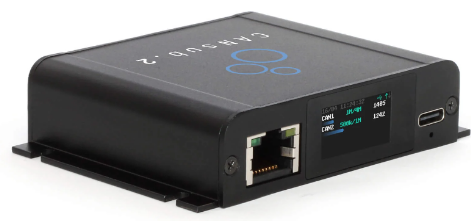
OUTLINE
ZERO INSTAL
Power via USB. Enter device URL to open webCAN. Start streaming CAN data in your browser
COMPACT
Only 8 x 7 x 2 CM. 90G. Aluminium enclosure. Built-in LCD display for device status
PRO SPECS
2 x CAN FD. Galvanic isolation. 20K+ frames/s. 1 µs timestamps. Error frames. Silent mode
WEBCAN APP
Runs on device. Configure device, stream CAN data, DBC decode, plot signals - and more
USB+ETHERNET
USB for direct CAN access via laptop. Ethernet for network, WiFi and remote use. HTTPS
OPEN API
REST/WebSocket API lets you build custom web apps, Python integrations and more
Pro specs CAN bus interface - at half the cost
The compact CANsub.2 lets you send/receive 2 x CAN FD via USB or Ethernet - with professional-grade specs:
- Stream CAN bus data via either USB or Ethernet
- Built-in LCD display shows device URL and live CAN status
- webCAN app runs on device - zero installation
- 20,000+ frames/second with 1 µs timestamp resolution
- Configurable silent mode and hardware ID filters
- Transmit list 'jobs' with edge-based timing precision
- CAN error frame and remote frame (RTR) support
- 2 x DB9 for standard adapter cables (OBD2-DB9, J1939-DB9, ...)
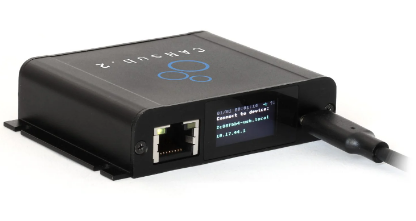
On boot, the CANsub.2 display shows the device URL - simply enter it in your browser to open the webCAN app and start streaming CAN data in real-time
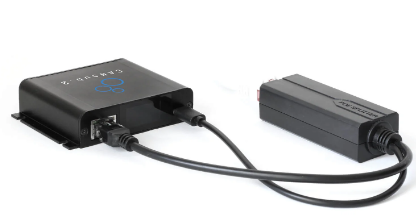
As an alternative to USB, you can connect the CANsub via Ethernet to a router to access it via LAN, WiFi or even the internet (optionally using a Power-over-Ethernet adapter)
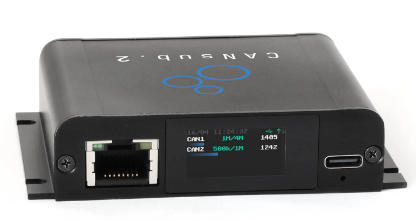
Once connected, the built-in LCD display shows the status of each CAN channel (CAN1-CAN2) incl. bit-rates, busloads, errors and frames/second
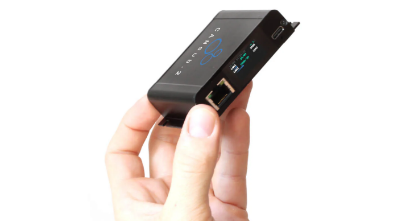
The CANsub.2 offers pro specs and 2 x CAN FD channels - yet it is extremely compact, measuring only 8 x 6 x 2 CM and weighing just 90 grams
webCAN runs on your CANsub - zero installation needed
The webCAN app is hosted on the CANsub - simply enter the device URL in your browser to start.
No drivers, no software installation, no internet required:
- Configure bit-rates incl. auto-detection support
- Set hardware filters, silent mode and CAN errors
- Create custom transmit sequences (optional DBC encoder)
- Connect multiple CAN buses in parallel (20K+ frames/sec)
- Load and assign DBC files for real-time decoding
- View summary statistics across CAN IDs and signals
- View, export and import trace data (up to 2M frames)
- Support for J1939 TP, ISO-TP, NMEA 2000 Fast Packets
- Visualize decoded signals in real-time charts
- Powerful frontend filters for CAN IDs and signals
- Save/load device configuration and DBC settings
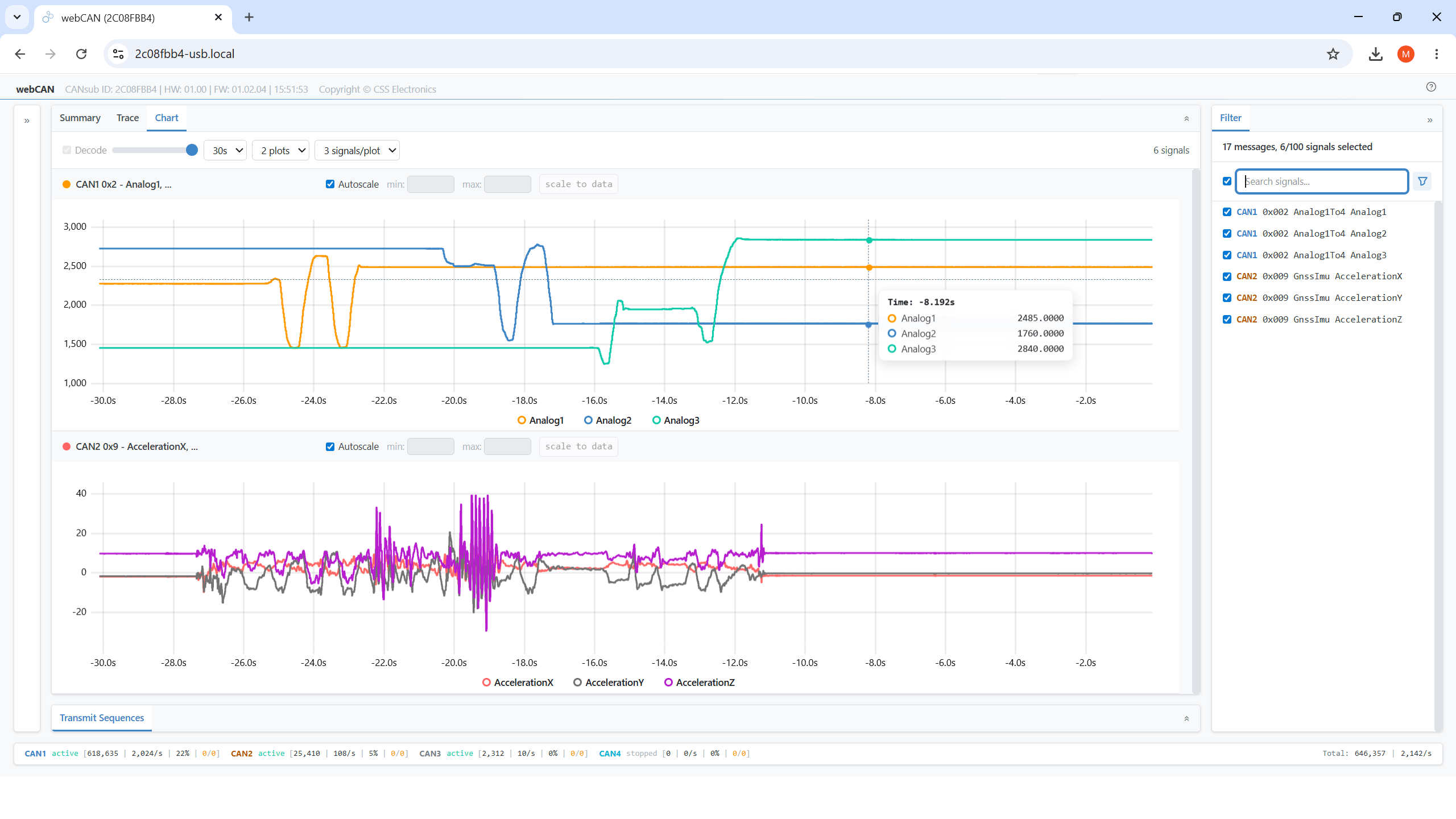
webCAN lets you easily plot DBC decoded CAN signals in real-time plots - with seamless historical browsing
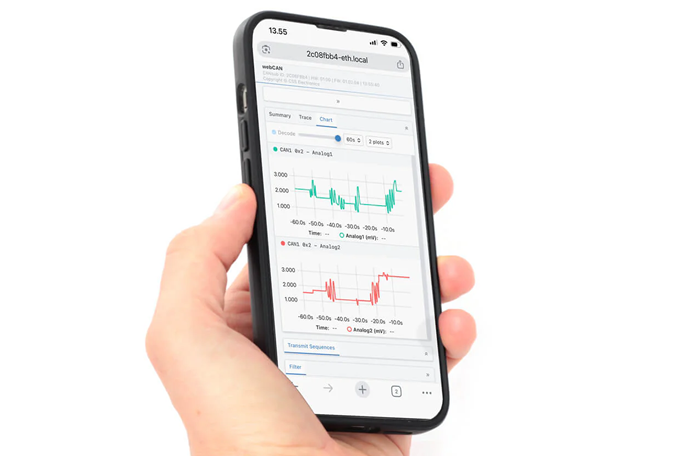
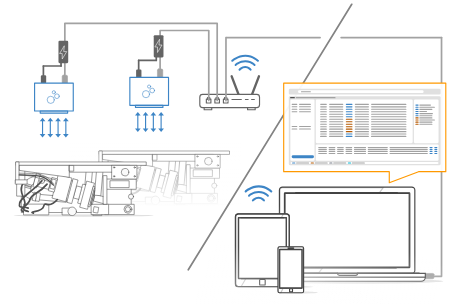
By connecting the CANsub to your WiFi router via Ethernet, any device (incl. tablets/smartphones) can use webCAN instantly from the browser
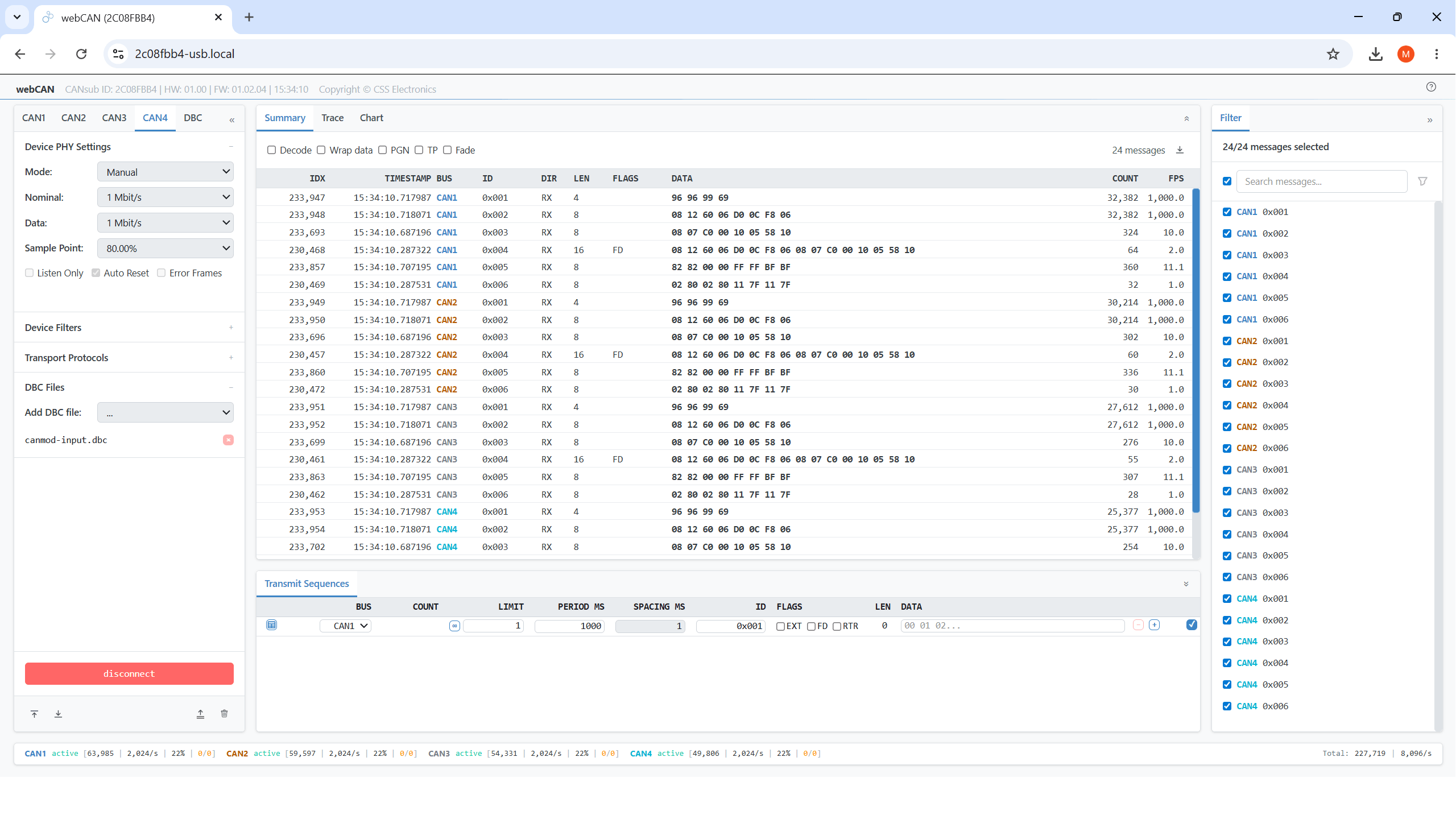
The Summary view displays key info per unique CAN frame (last data, frames/second, count) or by DBC decoded CAN signal (last/min/max/avg value) across all CAN channels in parallel
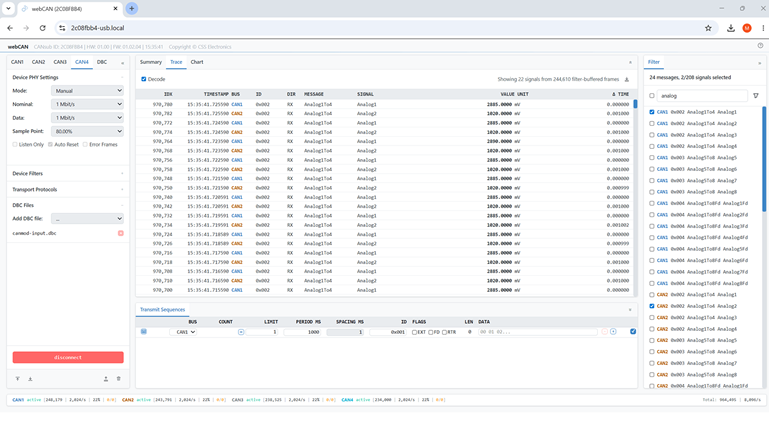
With the Trace view you can see the latest CAN frames (or decoded signals) across CAN channels in real-time - or browse/filter through up to 2M historical frames
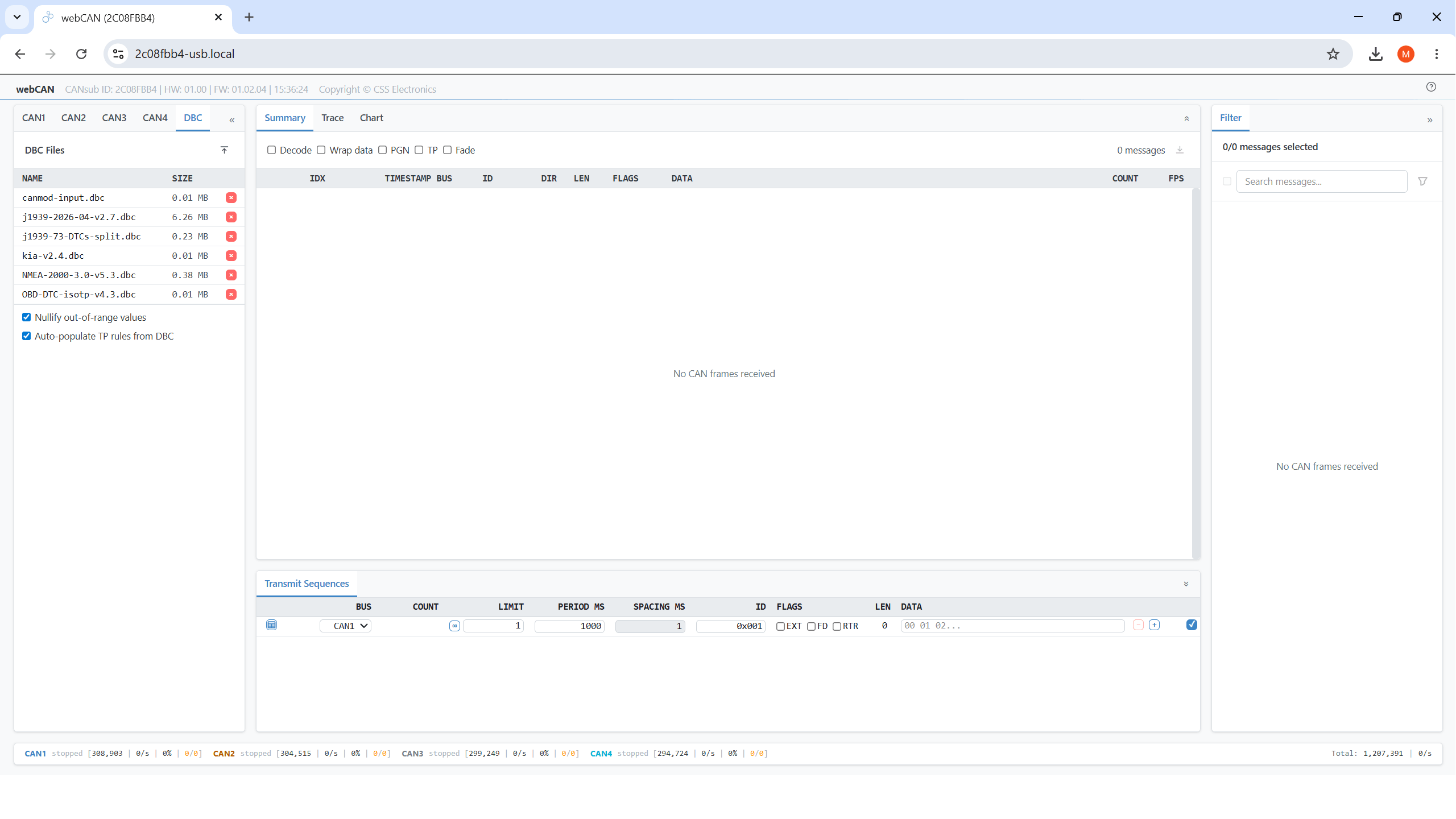
You can easily upload DBC files in webCAN and assign them per CAN channel to enable live decoding - with DBC files/assignments persisting across sessions
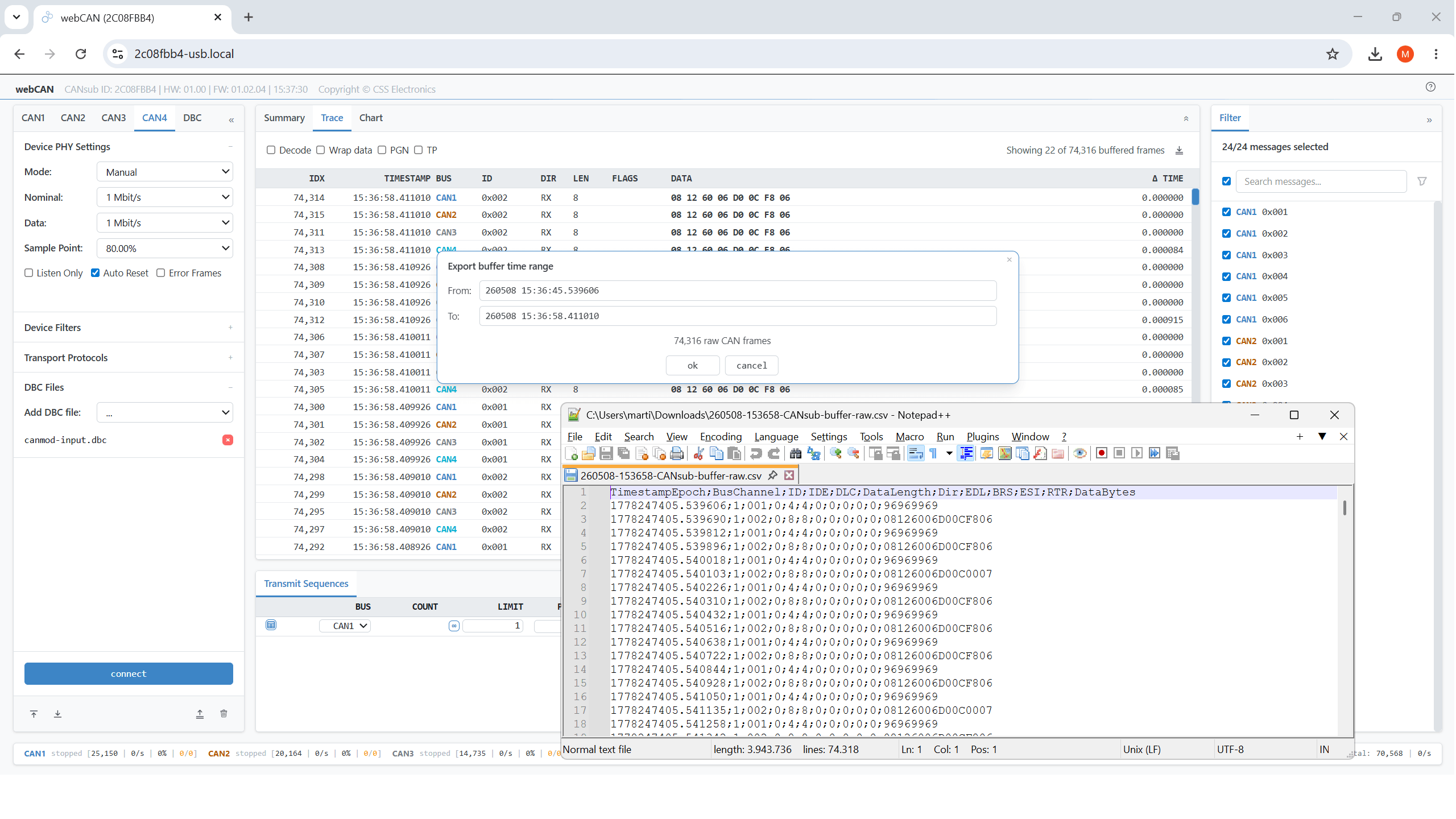
Export raw/decoded CAN summary/trace data from webCAN to CSV for offline analysis in e.g. Excel - or for later re-import into webCAN
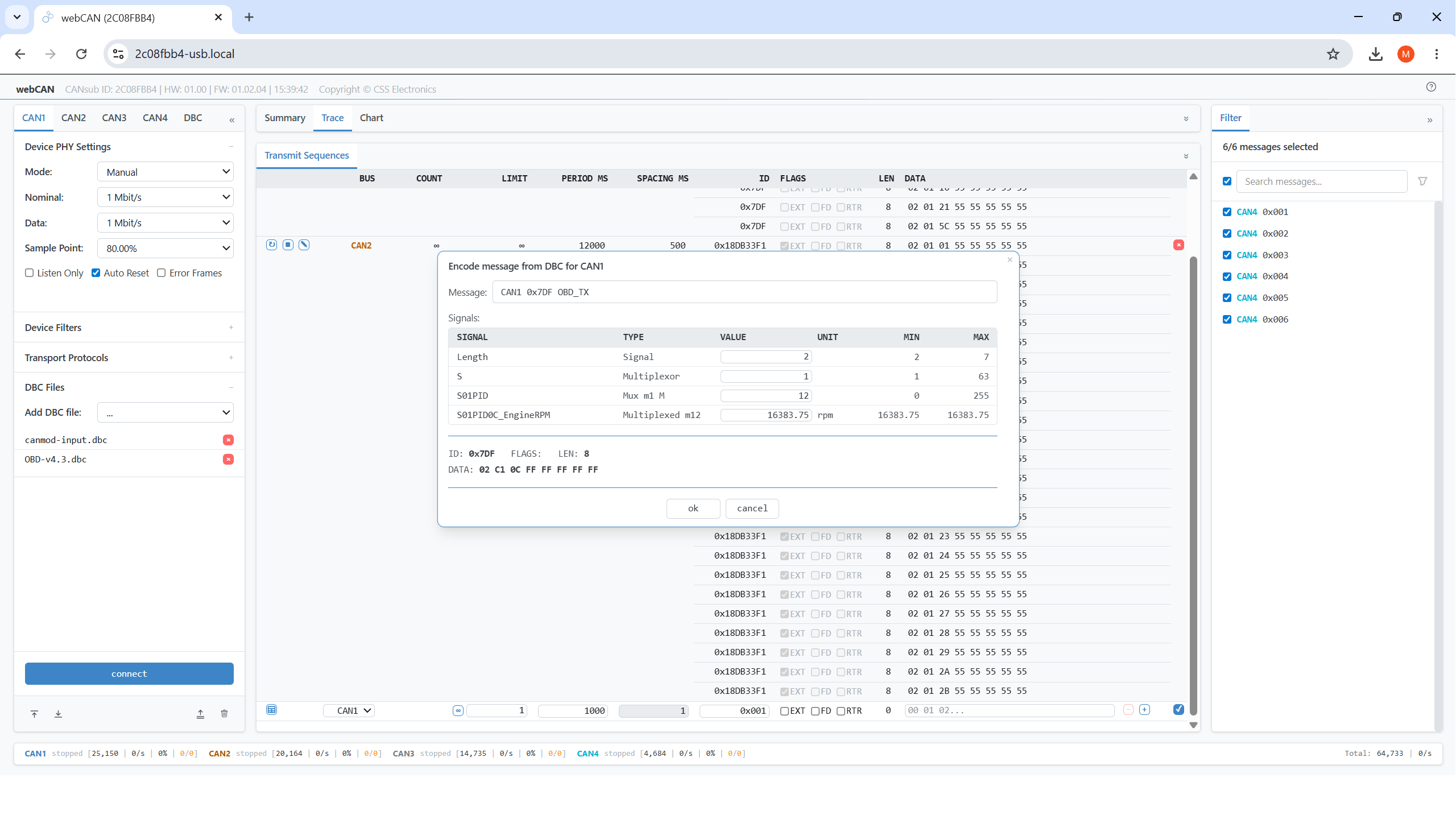
Deploy custom CAN transmit sequences/jobs with edge-based timing precision - ideal for OBD2, UDS, J1939 and XCP requests
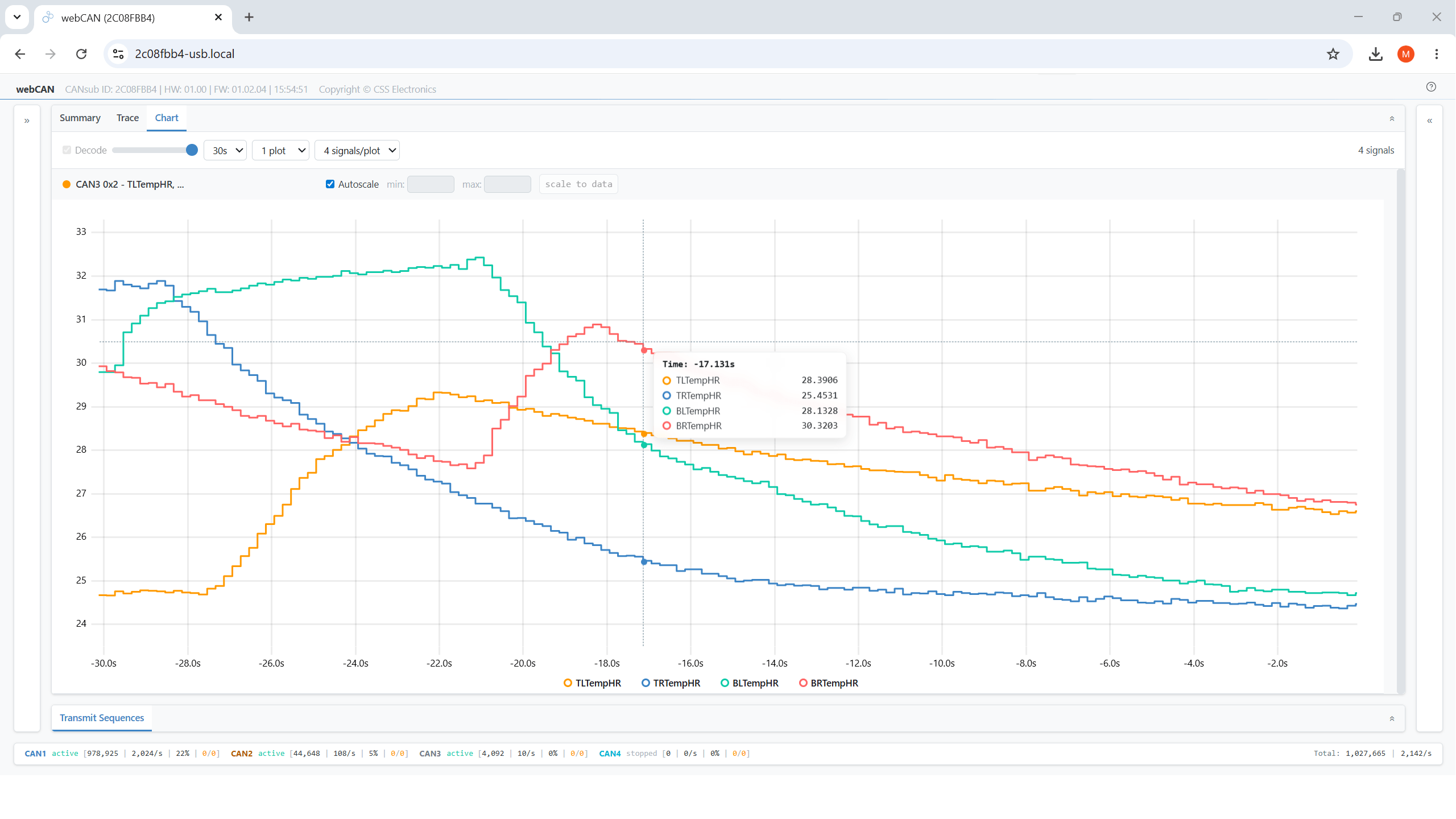
Use keyboard shortcuts to enter fullscreen mode in webCAN - ideal for focusing on real-time CAN signal plots on monitors and shared displays
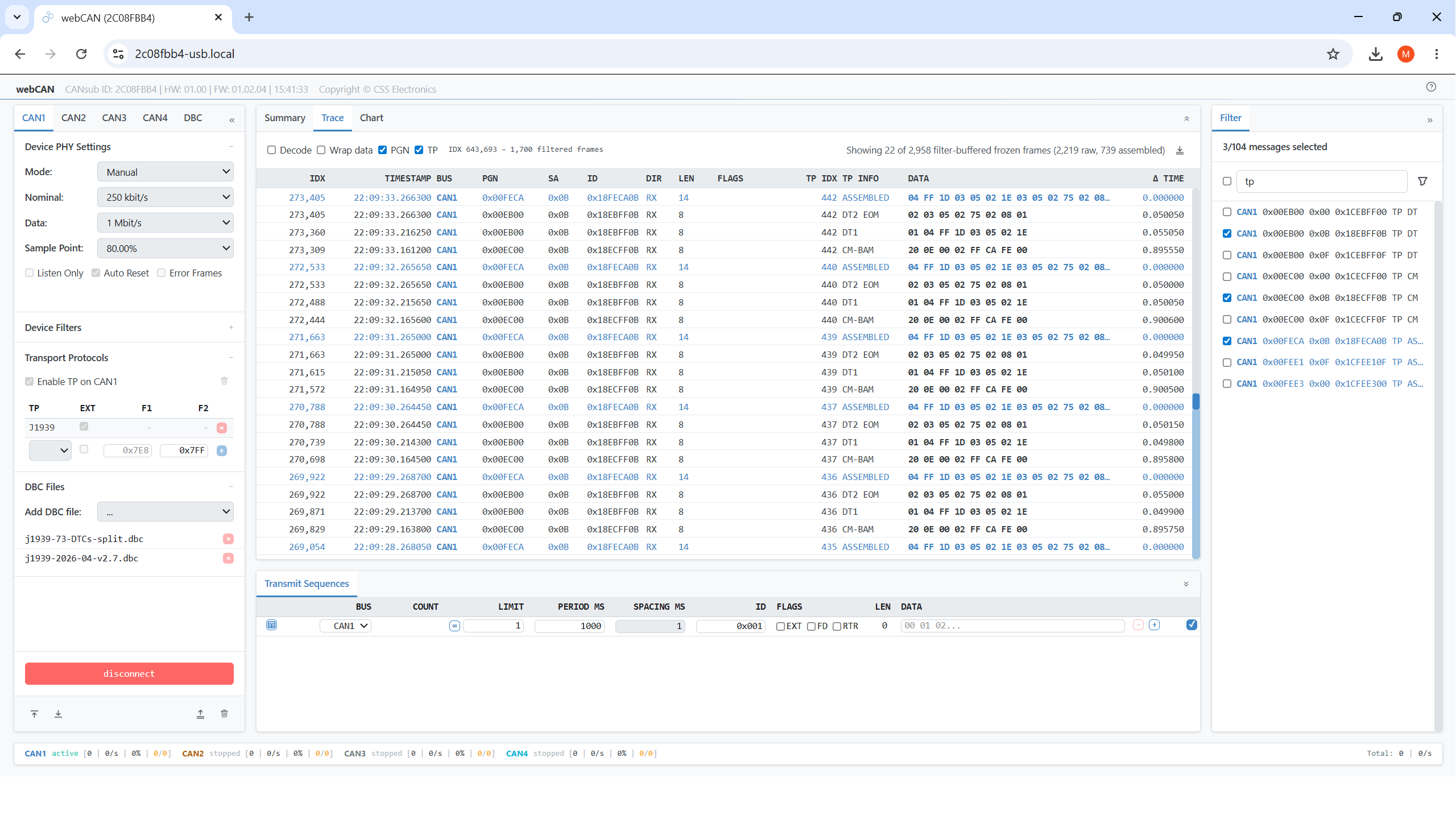
webCAN tags and decodes multi-frame transport protocol payloads incl. ISO-TP, J1939 TP and NMEA 2000 Fast Packets - critical for J1939 DM1 / OBD2 DTCs
Access your CAN data from anywhere via Ethernet
Connect the CANsub via Ethernet to a router - then access it via LAN, WiFi or even the internet:
- Use the CANsub from any device on the network
- webCAN enables instant access via any PC/tablet/phone
- Connect the device to a WiFi router for wireless access
- Access multiple devices with unique bookmarked URLs
- Secure remote internet access via VPN - incl. via LTE routers
- All data securely encrypted via HTTPS (TLS)
- Optional Power-over-Ethernet (PoE) adapter available
100% open CAN interface
with free software and APIs
The CANsub provides an open REST/WebSocket API for custom apps & integrations - and a powerful toolbox beyond webCAN:
- Python API: Automate streaming/processing e.g. via AI agents
- SavvyCAN: Stream raw/decoded data - e.g. for CAN sniffing
- PlotJuggler: Plot CAN signals with advanced transformations
- REST API: For device configuration and monitoring (OpenAPI)
- WebSocket API: For real-time transfer of raw CAN frames
- JS/TS libraries: Quickly build custom CANsub web apps
- Docs for AI: LLM-friendly TXT docs for rapid development
USE CASES
The CANsub.2 is ideal for automotive and industrial engineers who need to send/receive CAN data via USB or Ethernet - with powerful software tools and zero installation.
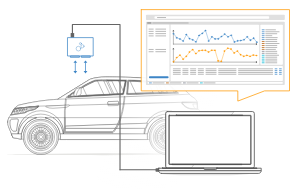
Direct real-time CAN access via USB
Need to stream CAN data directly from a vehicle, machine or test setup?
Connect the CANsub.2 to your CAN application via the 2 x DB9 connectors (using our standard DB9 adapter cables like OBD2-DB9 or J1939-DB9) and plug in the USB cable to your laptop. The device URL appears on the LCD display - enter it in your browser and webCAN opens immediately. Configure your bit-rates (or use auto-detection) and start streaming CAN data from both channels in real-time - with zero software installation. You can also load your DBC files to decode data and visualize CAN signals in smooth real-time plots.Test lab with multiple CAN buses
Need to monitor multiple CAN buses in a test lab from any PC on the network?
Connect the CANsub in your test lab to your router via Ethernet. Any engineer on the local network can now access the device using webCAN by entering its unique URL in their browser - no software installation needed. This makes it easy to set up multiple CANsub devices in a lab, each with a bookmarked URL. Add our PoE adapter to power each CANsub from the same Ethernet cable - keeping the lab wiring clean.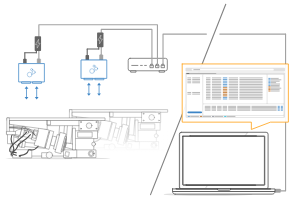
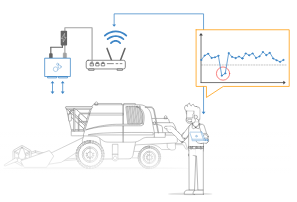
Wireless CAN access via WiFi
Need to stream CAN data without physically connecting to the application?
Connect the CANsub.2 via Ethernet to a WiFi router at the CAN application - e.g. on a vehicle, generator or in an engine room. Field technicians can then connect to the device wirelessly from their laptop or tablet without having to physically access the installation. For fixed setups like test rigs or industrial machinery, deploy multiple devices with bookmarked URLs for convenient periodic access.Global remote access via LTE
Need to access a CAN bus from across the building - or across the world?
Connect the CANsub to an LTE-capable router and set up a VPN for secure remote access over the internet - even for mobile assets in the field. Engineers anywhere in the world can then join the VPN and connect to the device via webCAN or Python to diagnose the CAN bus, stream data or send commands in real-time via transmit lists. All data is encrypted via HTTPS (TLS) and transmit sequences are deployed as jobs on the device for precise edge-timing independent of network latency.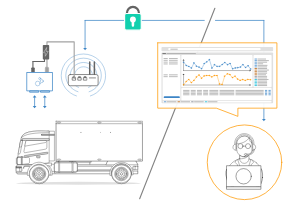
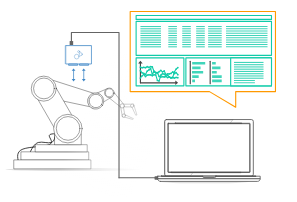
Custom web app and API integration
Need to build a custom CAN interface tool for your engineering team?
The CANsub.2 uses an open REST API for configuration (OpenAPI) and WebSocket API for data streaming - making it easy to integrate with custom applications - incl. pure web apps. Use our free JS/TS libraries to quickly build custom CANsub web apps - even using LLM/AI tools for rapid prototyping. For automation workflows the Python API (python-can, cantools) enables seamless scripted data processing and integration.| GENERAL | |
|---|---|
| Functionality | CAN-USB/Ethernet interface with 2 x CAN channels (incl. CAN FD) |
| Firmware | Supports free firmware updates for adding features |
| Software | Free webCAN app (runs on device) - enter URL shown on device LCD display to start (zero installation) |
| webCAN lets you configure device, send/receive CAN frames, DBC decode data, plot CAN signals and more | |
| Free open source SavvyCAN GUI for streaming of raw / DBC decoded data | |
| Free open source Python API for streaming of raw / DBC decoded data | |
| Custom Apps/Integrations | Open REST API (described via OpenAPI) for easy device management via software/API tools |
| Open WebSocket API for streaming raw CAN frames for easy integration, incl. for pure web applications | |
| JS/TS libraries for building custom CANsub web apps | |
| Safety | CE, FCC, IC and RoHS certified |
| Warranty | 1-year warranty |
| Support | Free, fast & high quality support |
| Origin | Denmark |
| INTERFACES/SECURITY | |
| Interfaces | Configure device and stream CAN data via USB or Ethernet |
| USB | USB is ideal for simple desk setups or e.g. ad hoc in-field vehicle diagnostics |
| Ethernet | Ethernet enables flexible deployments (at scale, remote areas, wireless via WiFi/LTE routers, ...) |
| HTTPS (TLS) | The device uses TLS 1.2 to encrypt all data communication |
| Discovery | The CANsub supports mDNS to enable easy discovery of connected devices on your local network |
| CAN BUS | |
| Channels | 2 x CAN FD channels (Controller Area Network) |
| Isolation | Basic galvanic isolation (easily connect CAN buses not subject to high voltage differences) |
| Standard | ISO 11898: Compliant with CAN (between 5K and 1 Mbit/s baud rates) and CAN FD (1M, 2M, 4M, 5M) |
| Protocols | Receive/transmit data from/to CAN based protocols (J1939, CANopen, NMEA 2000, OBD2, UDS, CCP/XCP, ...) |
| Identifiers | Compliant with CAN specifications 2.0A (11-Bit ID) and 2.0B (29-Bit ID) |
| Bit-Rate | Bit rate can be auto-detected or set manually (incl. custom bit timing and sample point) |
| Transceiver Protection | Short-circuit, bus-fault and undervoltage protection |
| Ideal passive behavior when unpowered (high impedance / no load) | |
| TXD dominant timeout prevents network blocking on transceiver failure | |
| DATA STREAMING | |
| Parallel CAN | Send/receive data from up to 2 x CAN channels simultaneously |
| Timestamping (RTC) | The device timestamps data with a 1 µs resolution |
| Frames/Second | 20,000+ frames/second across the CAN channels (i.e. in practice any CAN busload) |
| Silent Mode | Configurable hardware-based silent mode |
| Filters | Multiple regular/extended hardware ID filters per channel |
| Transmit | Transmit custom CAN frames - e.g. for OBD2/UDS/XCP/J1939 requests |
| Transmit sequences can be deployed as 'jobs' on device to enable embedded CAN frame timing precision | |
| CAN Error Frames | Support for logging CAN error frames (bit-stuffing, form, CRC, bit, acknowledgement) |
| Remote Frames (RTR) | Support for logging/transmission of remote CAN frames (RTR) |
| Unique Device ID | Each device has a globally unique ID |
| DISPLAY | |
| Type | Built-in colorized TFT LCD display (160 x 80 px) |
| Boot State | Shows device URL/IP for connecting via software/API tools (e.g. webCAN directly in your browser) |
| Connected State | Shows CAN channel status (CAN1-CAN2), bit-rates, errors, busloads, frames/second |
| ELECTRICAL | |
| Input Supply | +5V via USB connector (optional Power-over-Ethernet adapter available) |
| Power Consumption | Extremely low (<1 W) |
| MECHANICAL | |
| Enclosure & Weight | Compact aluminium enclosure: 75 x 67 x 20 mm (W x L x H excl. flanges). 90 grams |
| Connector (Front) | 2 x standard D-sub 9 (DB9) connectors - use our standard DB9 adapter cables (e.g. OBD2-DB9, J1939-DB9) |
| USB | USB-C interface for power (+5V DC), data streaming and firmware update (use our USB-C cable) |
| Ethernet | RJ45 Ethernet interface for data streaming and configuration/firmware update |
| Pin-Out | See the product manual for connector pin-outs |
| Flanges | Flanges with 4 x M3 screw holes (head diameter < 6 mm) |
| Temperature | Operating temperature (parts): -25degC to +70degC |
| IP Rating | IP40 |
| Mounting | Device can be mounted via e.g. velcro strips or mounting kit |
Tecnologix offre supporto gestito direttamente dal Team di sviluppo.
Non esitare a metterti in contatto con i nostri esperti.
Basta chiedere qui